Final score: AI 7, Manual 0. Meet July's top scorers — the Task Dashboard,
Broker
Dashboard Enhancements, Client Retention Report, Smart Reporting: Favorites
&
Canvas, Smart Fill Bulk Upload, the mobile KPI Dashboard and Onboarding Kit
Enhancements.
Match Report • July 2026
Full-Time Result
AI 7 – 0 Manual
Full Time • Effi Platform
Seven goals on the board this month, led by a hat-trick-worthy overhaul of the Task Dashboard. Here are Effi’s top scorers in July — each one another manual task AI took off your plate.
“Overdue work, front and centre — every time you open Effi.”
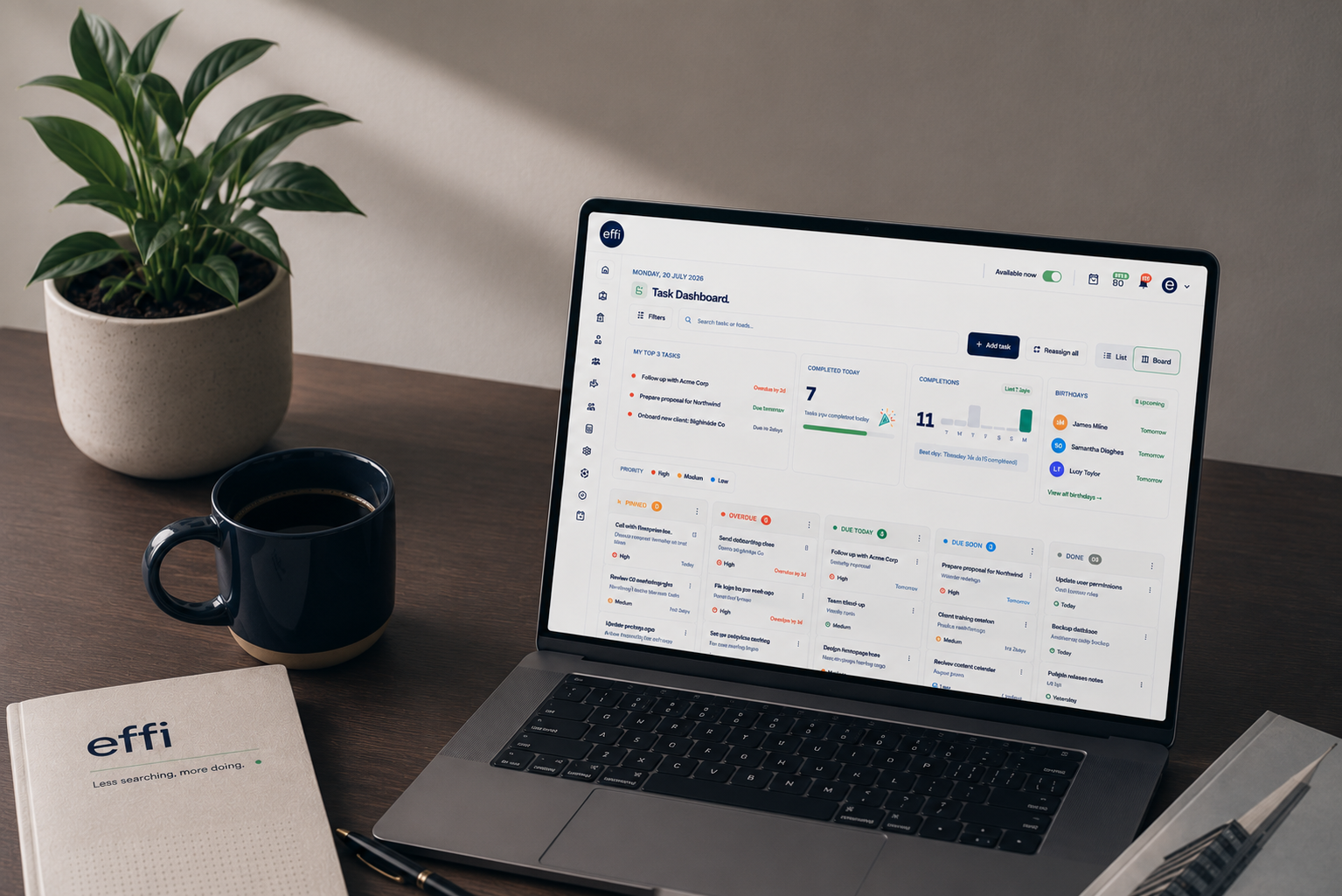
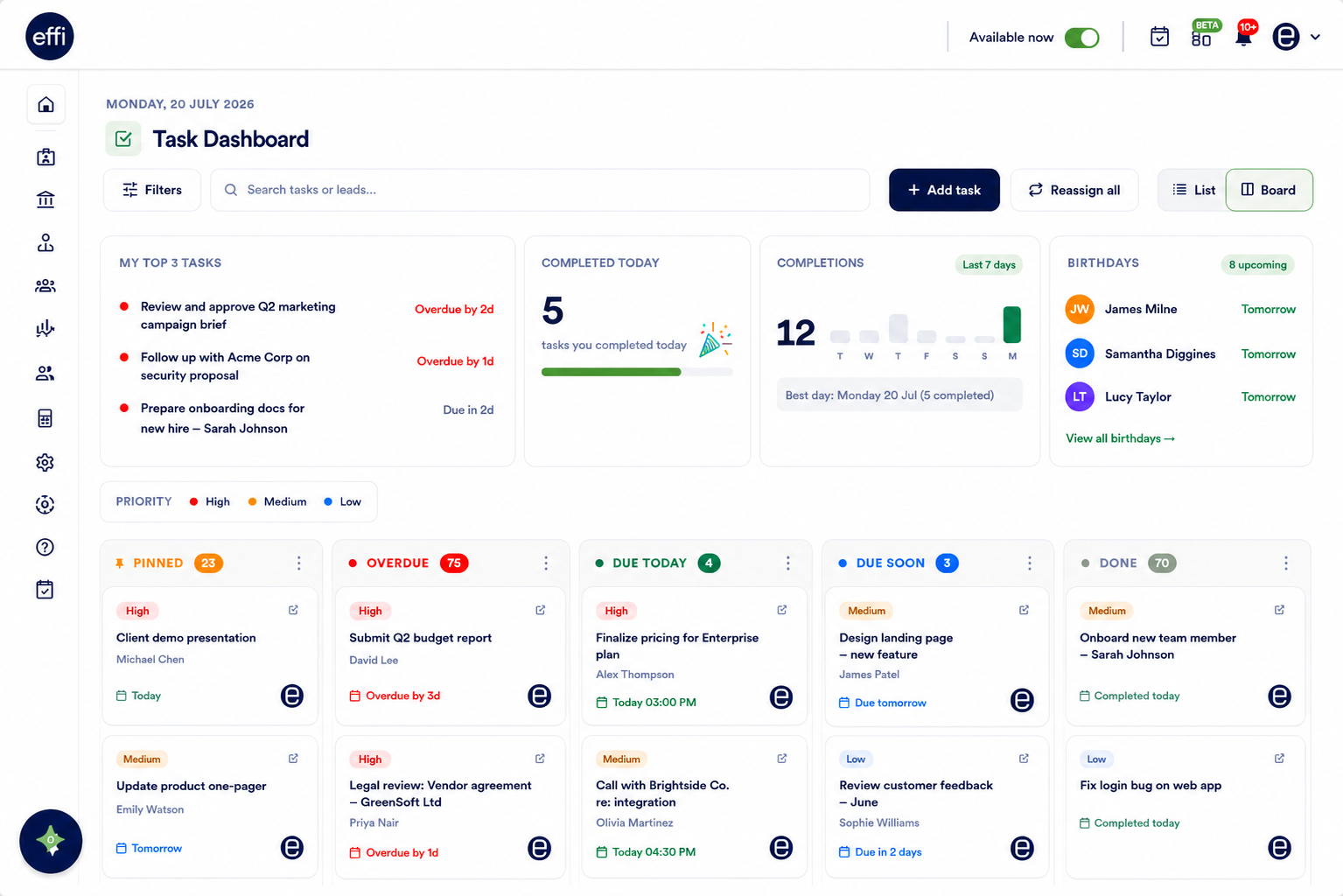
The Task Dashboard
Manage your workload from one central dashboard. Prioritise overdue tasks, track daily progress, switch between List or Board views, and use quick actions to update tasks without opening them. New enhancements include a Birthday Widget, unified search, label filtering, improved task management, and a refreshed user experience.
2×
searches merged into one — leads and tasks, same field
Heads up: with the Task Dashboard now covering this ground, the Daily Task email will be decommissioned from 24 July.
🎂 Birthday Widget
Today’s birthdays highlighted, next 7 days queued — send one wish or twenty, pre-written either way.
List or Board View
Same categories, two ways to work — a fast linear list, or a Kanban board with inline checklist progress.
Filter by Lead Label
Pick a label, Effi pulls every task on every lead carrying it — ideal for a campaign push.
Reassign All Tasks ADMIN
Move every task from one broker to another in a few clicks, with a confirmation once it’s done.
The Task Dashboard, showing prioritised tasks by status alongside upcoming birthdays.
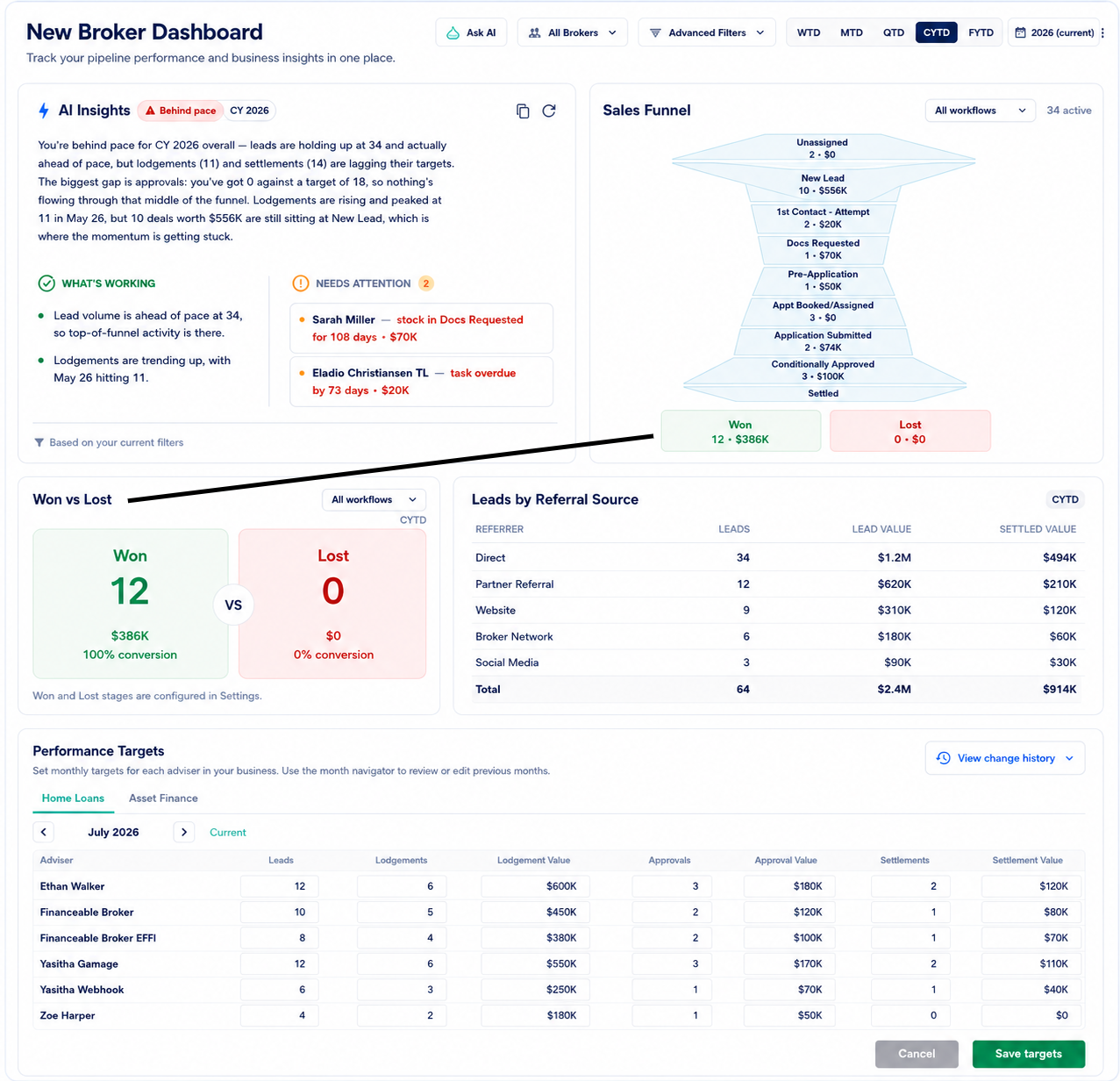
Broker Dashboard Enhancements
Gain deeper insights into your business with new dashboard widgets, including AI Insights, Sales Funnel, Won vs Lost, and Leads by Referral Source. Performance Targets have also been enhanced, giving brokers and business admins better visibility into goals and pipeline performance.
The Broker Dashboard, showing new widgets and enhanced Performance Targets.
Goal
03
of seven scored this month
“Retention that watches the numbers so you don’t have to.”
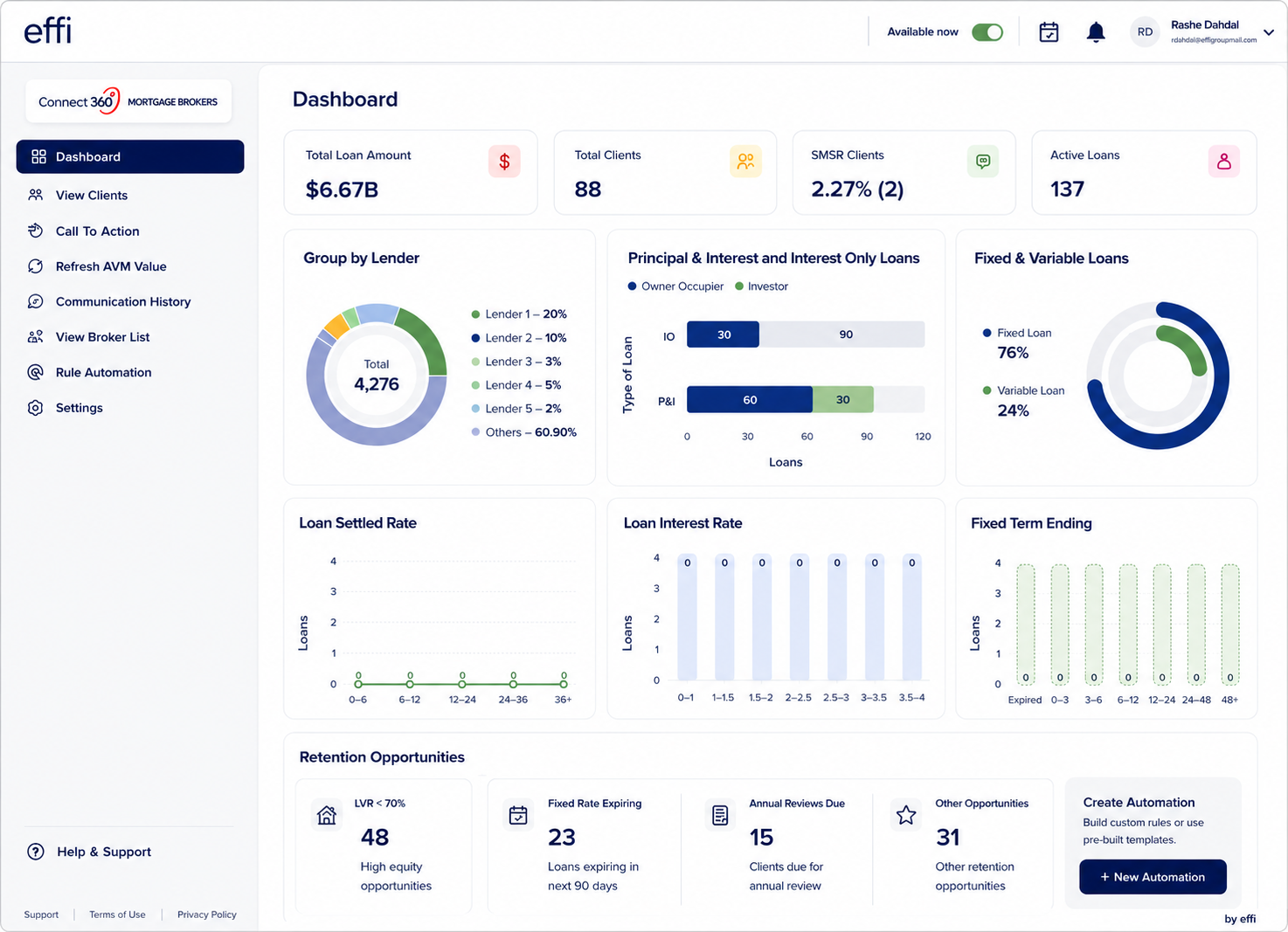
Client Retention Report
Redesigned with a modern dashboard, drag-and-drop widgets, and powerful automation. Create retention campaigns, protect lender clawback periods, and auto-generate refinance leads when clients are ready to engage.
5
automation channels — email, SMS, push, voice, and AI Agent
Clawback Protection
Business admins set lender-specific clawback periods so automated outreach never runs where trail commission could be affected.
Automatic Refinance Leads
A positive response to a retention campaign creates a new lead automatically, pre-populated and assigned back to the original broker.
The Client Retention Report, showing the new dashboard.
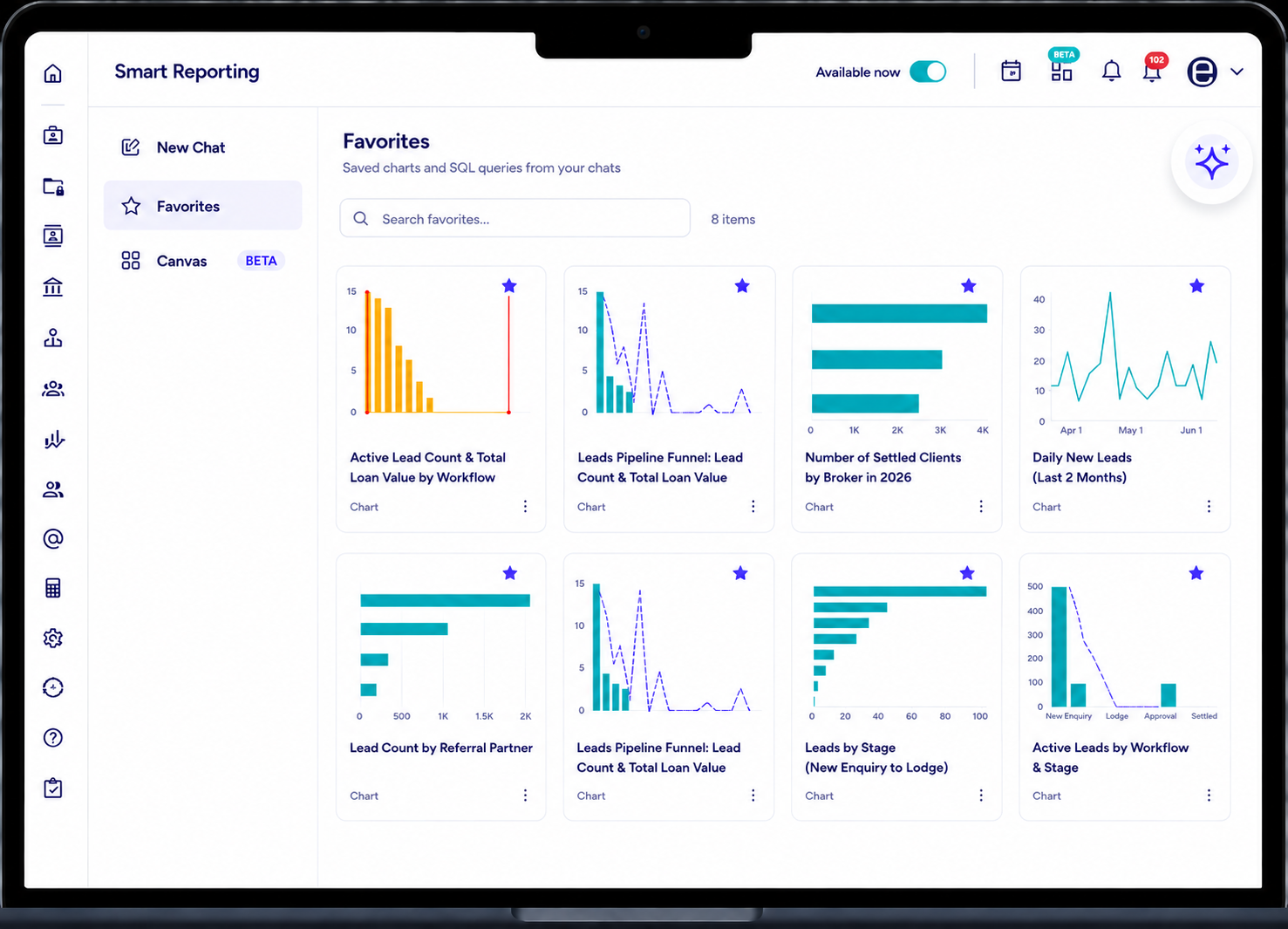
Smart Reporting: Favorites & Canvas
Build reporting dashboards your way. Save frequently used charts as Favorites, then combine them into custom Canvas dashboards. Choose between live data that updates automatically or snapshots for historical reporting — making recurring reports faster and easier than ever.
Favorite Charts that can be added in Canvas Dashboard in Smart Reporting.
Goal
05
of seven scored this month
“One upload, every document sorted.”
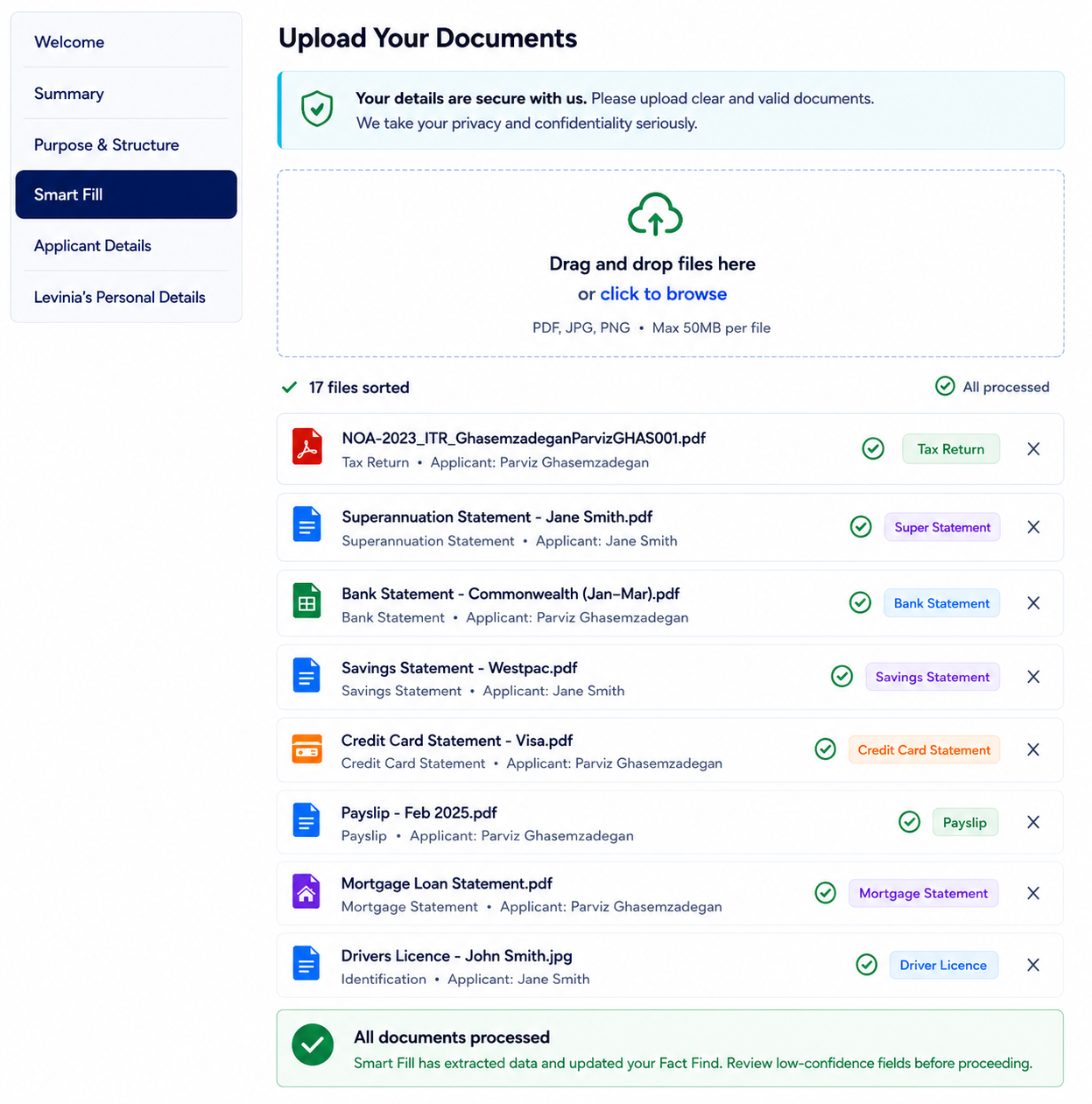
Smart Fill Bulk Upload
Smart Fill now supports Bulk Upload, allowing you to upload an entire document pack in one go. Documents are automatically classified, matched to the correct applicant, extracted into the Fact Find, and organised into Document Collection — eliminating the need to upload files one at a time.
Smart Fill Bulk Upload, classifying and sorting a full document pack in one pass.
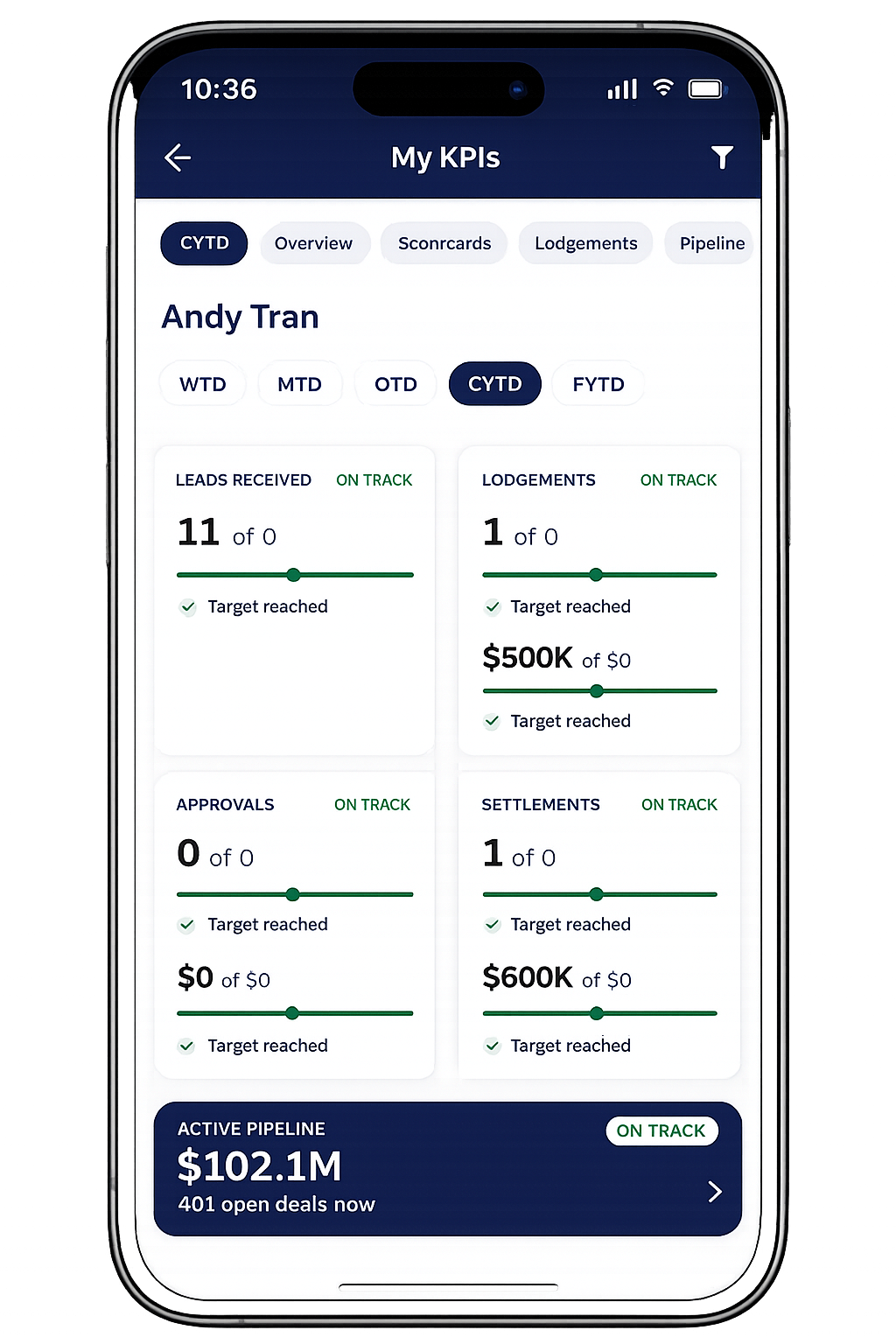
KPI Dashboard (Mobile)
The new KPI Dashboard brings Broker Portal performance insights to the mobile app. View KPI cards, interactive charts, broker rankings, performance targets, and At Risk or Waiting On leads — all from your phone.
This Phase 1 release is read-only, with dashboard customisation coming in future updates.
The KPI Dashboard on the mobile app, showing performance insights on the go.
Goal
07
of seven scored this month
“Every onboarding document, one button.”
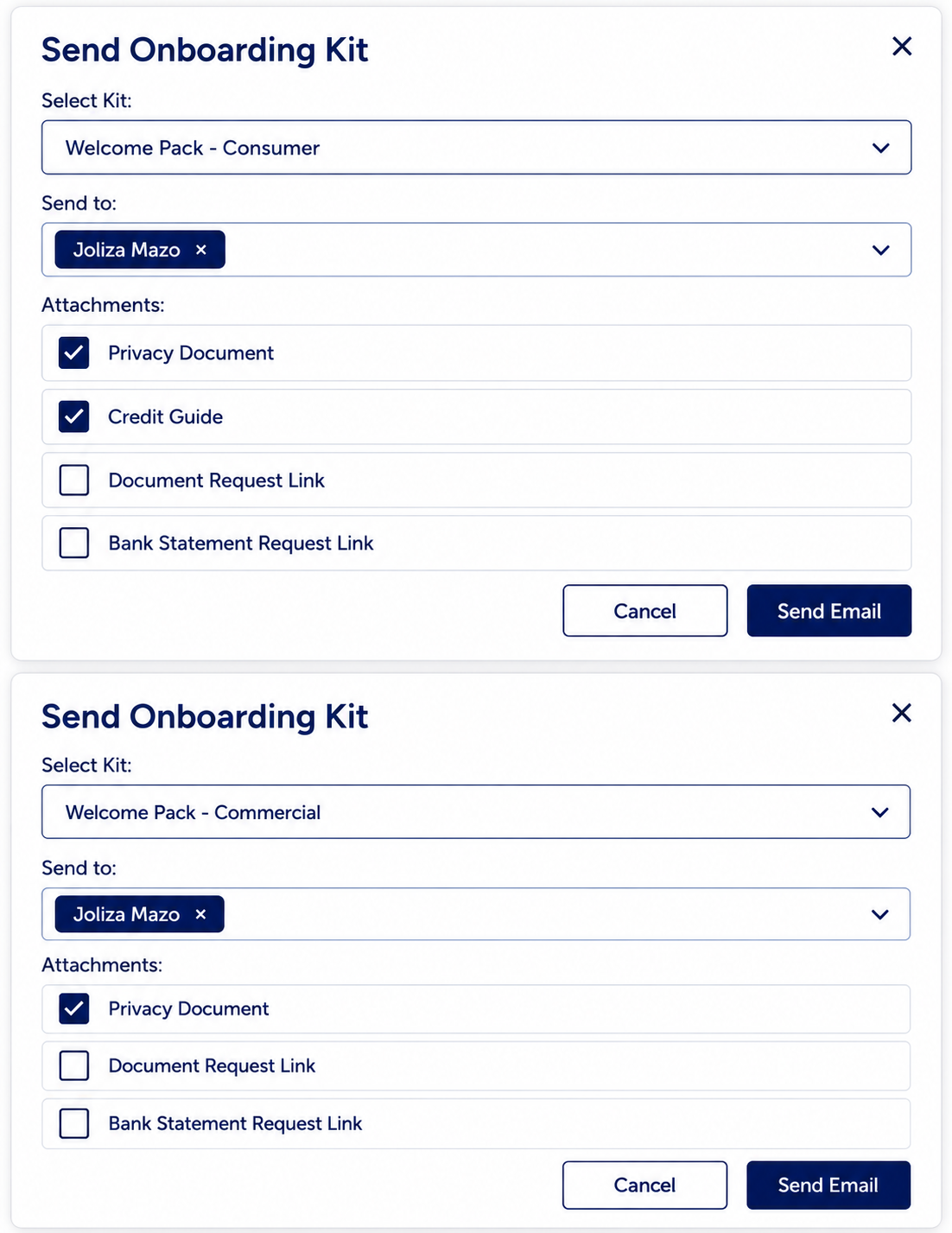
Onboarding Kit Enhancements
Send Privacy Documents and Document Request Links from one place, using your existing Document Request Templates — a faster, more streamlined onboarding process.
01
Open the Onboarding Kit on the lead
02
Choose Privacy Document, Document Request Link, or both


Comments
0 comments
Please sign in to leave a comment.